

Printable
Printable ring sizer
A paper ring sizer you can print at home: 22 circles from US 3 to US 13.5, a scale-verification ruler, and a conversion reference — all drawn as vectors at exact millimetre dimensions. No screenshots, no guessing, and no measuring from your screen.
Download the printable guide
Choose the paper size you will print on. The PDF is the same guide in both sizes — 3 pages, all 22 sizes from US 3 to US 13.5 — laid out for that exact page, not scaled to fit.
Selected: US Letter — 8.5 × 11 in (215.9 × 279.4 mm) — 3 pages.
Print at 100% / Actual size — never “Fit to page”. After printing, check the ruler on page 1 with a physical ruler before measuring anything.
What is inside the PDF
Page 1 — Circles and ruler
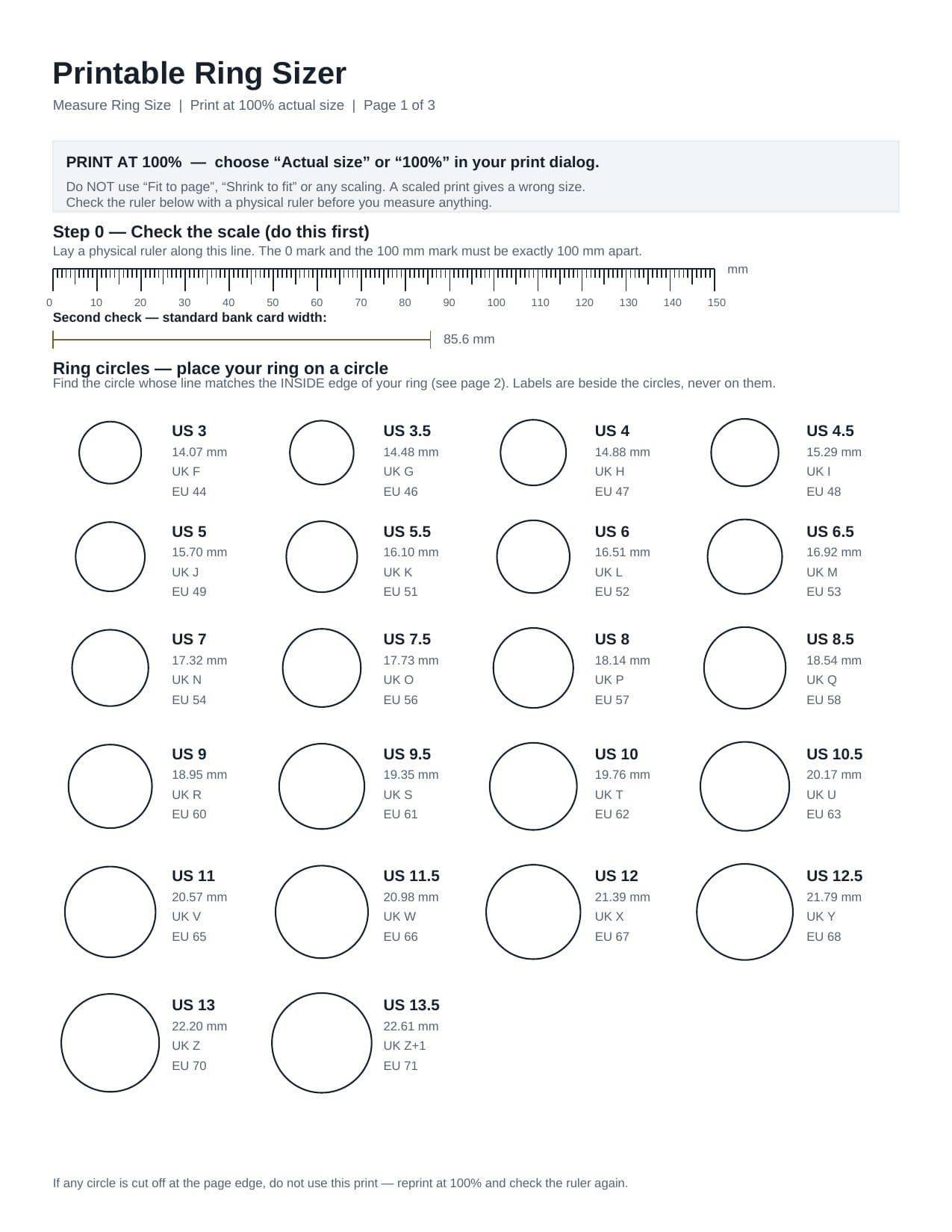
Print instructions, a 0–150 mm verification ruler, an 85.6 mm bank-card check line, and 22 ring circles with their US size, inside diameter, UK and EU labels beside each circle — never on it, so nothing covers the line you are matching.
Page 2 — How to match
Step-by-step matching instructions, the six commonest mistakes (starting with “Fit to page”), and the limitations you should know before ordering — including why a wide band or an un-resizable ring still deserves a professional fitting.
Page 3 — Conversion reference
The full table for the same 22 sizes: US, UK (approx.), Australia (approx.), EU / ISO, India (approx.), diameter and circumference. Systems without a corroborated ladder — Japan, Switzerland, Brazil, China, Russia — are omitted, not guessed.
How to print it correctly
- Download the size for your paper. US Letter if you are in the US or Canada, A4 almost everywhere else. The two files are laid out for their page; picking the wrong one and letting the printer rescale it defeats the whole guide.
- In the print dialog, choose “Actual size” or “100%”. Turn off “Fit to page”, “Shrink to fit”, and any “Scale to fit” option. If your printer offers a “Borderless” mode, leave it off — borderless printing often rescales by a few percent.
- Check the ruler before you measure. Lay a physical ruler on the 0–150 mm line on page 1. The 0 mark and the 100 mm mark must be exactly 100 mm apart. As a second check, a standard bank card laid on the 85.6 mm line must match it end to end. If either check fails, reprint — do not measure from that page.
- Print single-sided, on plain paper. Glossy paper reflects light and makes the circle line hard to see under a ring; heavy card can shift the print slightly. Plain printer paper is the honest choice.
How to match a ring to a printed circle
- Lay the page flat and place the ring flat on a circle, centred. Do not hold the page up, and do not let the ring tilt — a tilted ring sits on an oval, not a circle.
- Match the INSIDE edge, not the outside of the band. The printed circle represents the hole your finger goes through. The outside of the band is several millimetres larger, and matching it gives a size far too big.
- Look straight down. The correct circle is the one where the printed line and the inside edge coincide: no gap of paper showing inside the hole, and no printed line hidden under the band.
- Confirm with the neighbours. The size below the match should show a visible gap; the size above should be covered by the band. If both neighbours look the same as your match, re-check the print scale — that is the usual cause.
- Between sizes? Size up. A ring that is a fraction tight is unwearable; a fraction loose is usually fine. For an expensive or un-resizable ring, confirm with a professional fitting instead.
Preview — do not measure from this image
This is a preview of page 1 so you can see what you are downloading. Your screen is not 1:1 with paper, so measuring a ring against this image — or printing this image — will give a wrong size. Only the PDF, printed at 100%, is a measuring tool.
Honest limitation: printer validation
The PDFs were verified programmatically before release: page dimensions match US Letter and A4 exactly, all 22 circle diameters in the vector geometry match the site's sizing dataset to within 0.25 mm, the ruler is exactly 150 mm and the card line exactly 85.6 mm, and nothing is drawn outside the page. What was not available in the test environment is a physical printer: no printout was measured with a ruler here. That is why the guide itself makes the physical ruler check mandatory — it is the step that catches the one thing software cannot check, which is how your printer actually prints. If you print it and the ruler check passes, the guide is verified for your printer; if it fails, reprint at 100% or try another printer, and do not use the failed page.
Related guides
- Online Ring Sizer
No printer? Measure the same ring on screen with bank-card calibration.
- Ring Size Calculator
Already have a diameter or circumference number? Convert it here.
- International Ring Size Chart
The interactive chart behind this PDF, with search, filters and lookup.
- How to Measure Ring Size at Home
All the methods compared: ring, finger, and calculator — and when each is best.